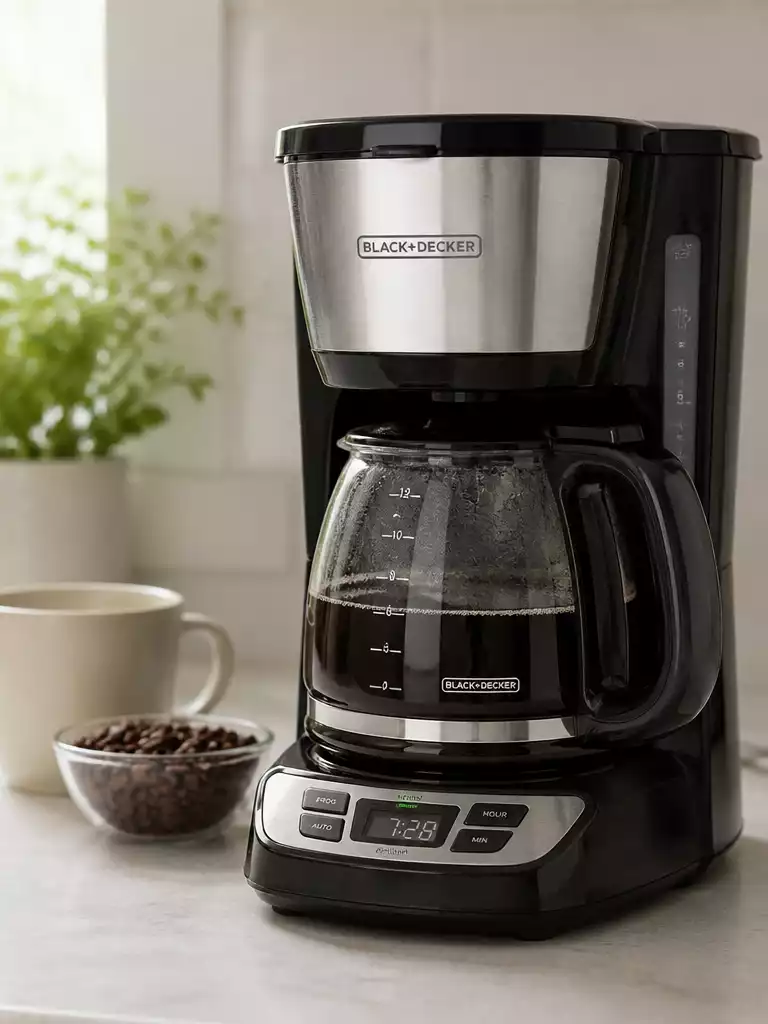
Did you know that regular maintenance can significantly prolong the life of your coffee maker? By following these simple troubleshooting steps, you can keep your Black and Decker coffee maker in top shape and enjoy delicious coffee every day.
What You Will Learn
- How to identify common symptoms indicating your coffee maker may not be functioning properly.
- Simple troubleshooting steps to take before considering repairs or replacements.
- Importance of regular cleaning and descaling to prevent clogs and brewing issues.
- When to reach out for customer support or consider replacing your coffee maker.
Troubleshooting Your Black and Decker Coffee Maker: Common Issues and Solutions
If your Black and Decker coffee maker has suddenly decided to take a break, don’t panic! Many common issues can be easily resolved with a little troubleshooting. Let’s explore some of the frequent problems you might encounter and the straightforward solutions you can apply to get your coffee flowing again.
Why is Your Coffee Maker Not Working?
Identifying the root of the problem is the first step to getting your coffee maker back in action. Start by noting the symptoms you’re experiencing. Are you getting no power? Does it fail to brew? Several factors could be at play here, and pinpointing them will save you time and effort.
Identifying Symptoms: No Power, No Brew, and Other Issues
- No power to the machine
- Unit powers on but doesn’t brew
- Weak coffee or coffee not hot
- Unusual noises during operation
Each of these symptoms points to a different potential issue. For instance, if there’s no power, the problem might lie in the power supply or the machine itself. On the other hand, if the machine powers on but doesn’t brew, you might have a blockage or a setting misconfiguration.
Checking Power Supply: Ensuring Your Coffee Maker is Plugged In
Before diving into more complex diagnostics, make sure your coffee maker is actually plugged in! It’s easy to overlook this simple step. Check the outlet with another device, like a phone charger, to ensure it’s providing power.
Sometimes, the issue can be as straightforward as a loose plug or a tripped circuit breaker. If everything looks good, we can move on to more detailed troubleshooting!
DIY Troubleshooting Steps for Black and Decker Coffee Makers
Now that we’ve identified potential issues, it’s time to roll up our sleeves. Here are some handy DIY troubleshooting steps that can help you get your coffee maker back to work.
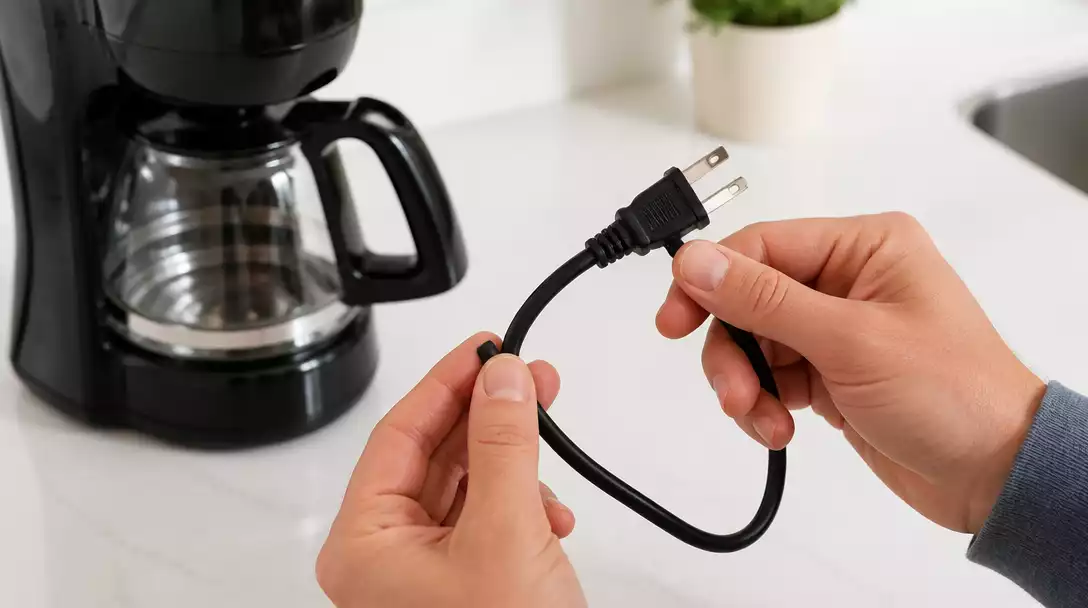
Step 1: Inspecting the Power Cord and Outlet
- Check for any visible damage to the power cord.
- Ensure the cord is securely connected to both the coffee maker and the outlet.
- Test a different outlet if necessary.
Sometimes, the power cord might be damaged or frayed, preventing adequate power from reaching your coffee maker. If that’s the case, it might need replacing.
Step 2: Resetting Your Coffee Maker: When and How to Do It
Resetting your coffee maker can sometimes resolve mysterious issues. Unplug the machine for a few minutes, then plug it back in. Most Black and Decker models have a reset function as well, so check your user manual for specifics.
Step 3: Cleaning and Descaling: Preventing Clogs and Brew Cycle Issues
- Run a vinegar solution through the machine to descale.
- Clean the brew basket and the water reservoir.
- Regular cleaning helps maintain optimal performance.
Keeping your coffee maker clean is essential for smooth operation. I usually suggest descaling every few months to prevent mineral buildup, which can cause brewing issues. Learn more about how to clean a coffee maker with vinegar for best results.
Step 4: Checking the Brew Basket and Water Reservoir for Blockages
Sometimes, a simple blockage can halt the brewing process. Remove the brew basket and check for any leftover coffee grounds that might be clogging it. Also, ensure the water reservoir is filled and properly seated.
By following these steps, you can tackle many common problems that may arise with your Black and Decker coffee maker. Let’s move on to more specific solutions for those stubborn issues!
Problem-Specific Solutions: Addressing Common Coffee Maker Failures
Now, let’s dive deeper into solutions tailored for some of the most common coffee maker failures. Each problem has its unique characteristics, and knowing how to approach them can make all the difference.
No Brew Cycle: Diagnosing Brewing Issues Effectively
- Ensure your machine has enough water.
- Check for clogs in the brew basket.
- Inspect the brew switch and programming settings.
If your coffee maker isn’t brewing, it can be frustrating. Start by checking the basics. If everything looks good, you may need to reset or clean the machine further.
Auto Brew Misconfigurations: Fixing Programming Mistakes
Auto brew settings can sometimes get misconfigured. Double-check your programming by consulting the user manual. If necessary, reset the settings and reprogram the desired brew time. For additional guidance, refer to our article on how to use a Black and Decker coffee maker.
Weak Coffee or No Heat: How to Restore Full Functionality
- Inspect the heating element for damage.
- Run a clean water cycle to remove any residue.
- Adjust the coffee-to-water ratio for desired strength.
Weak coffee can often be fixed by adjusting your measurements or ensuring the machine is clean and functioning correctly. If the heating element is damaged, it might be time to seek additional help.
Dealing with Clogged Filters and Coffee Grounds Build-Up
Clogs can lead to significant brewing issues. Be sure to clean the filters regularly and check for coffee grounds buildup in the brew basket and decanter.
Pro Tip
Did you know? Regularly descaling your Black and Decker coffee maker not only prevents clogs but also enhances the flavor of your coffee? Aim to descale every 1-3 months, depending on your water hardness, to keep your machine running smoothly and your brew tasting great!
Summarizing Solutions for Your Black and Decker Coffee Maker Issues
When troubleshooting your Black and Decker coffee maker, it’s essential to keep in mind that not every problem requires a replacement. Many common issues can be fixed with a few simple steps! Let’s recap what we’ve learned about addressing these typical problems effectively.
Remember, knowing when to fix your coffee maker or when it’s time to replace it is crucial. If your coffee maker has served you well for years and suddenly stops working, it may be worth trying some of the solutions we’ve discussed. However, if the unit is older and has persistent issues, like constant brewing problems or leaking, it might be time to consider a new one.
Final Thoughts on Troubleshooting Common Problems
As with any appliance, regular maintenance is key to avoiding future problems. Performing simple cleaning tasks and keeping an eye on wear and tear can prolong the life of your coffee maker significantly.
- Clean the brew basket and water reservoir regularly.
- Descale your coffee maker every few months to prevent buildup.
- Inspect the power cord for signs of damage.
- Check for clogs in the filter or water lines.
By taking these proactive steps, you’ll not only ensure that your Black and Decker coffee maker runs smoothly but also improve the quality of your coffee!
Recognizing When to Fix and When to Replace Your Coffee Maker
It’s essential to gauge the overall condition of your coffee maker. If minor repairs aren’t bringing results, or if you’re experiencing the same issues repeatedly, replacement may be the best option. Trust me; sometimes it’s a tough call, but you deserve a machine that brews perfectly every time!
The Importance of Regular Maintenance to Avoid Future Issues
Regular maintenance can save you both time and money in the long run. Not only does it enhance your coffee experience, but it also reduces the risk of sudden breakdowns. By committing to a routine cleaning schedule, you can catch potential issues before they escalate.
Tips for Improving Coffee Quality Through Proper Maintenance
To ensure you’re always getting the best brew from your Black and Decker coffee maker, consider the following tips:
- Use filtered water to enhance flavor and reduce mineral buildup.
- Store coffee beans in an airtight container to maintain freshness.
- Experiment with grind size for optimal extraction.
- Adjust brew time and temperature settings for a richer flavor.
Implementing these tips can dramatically improve your coffee’s taste, making your morning routine that much better!
FAQs About Black and Decker Coffee Maker Troubleshooting
Here are some frequently asked questions to help you further with troubleshooting your Black and Decker coffee maker:
- Q: Why is my Black and Decker coffee maker not turning on?
- A: First, check if the coffee maker is securely plugged into a working outlet. Test the outlet with another appliance. If the outlet is fine, inspect the power cord for any damage. A tripped circuit breaker can also be a cause. If these steps don’t resolve the issue, try resetting the coffee maker by unplugging it for a few minutes.
- Q: What should I do if my coffee maker powers on but doesn’t brew?
- A: This often indicates a blockage or misconfiguration. Ensure the water reservoir is adequately filled and correctly seated. Check the brew basket for any leftover coffee grounds that might be clogging it. You might also need to descale the machine to remove mineral buildup, which can impede water flow.
- Q: How often should I clean and descale my Black and Decker coffee maker?
- A: Regular cleaning of the brew basket and water reservoir is recommended after each use. For descaling, it’s generally advised to do so every 1-3 months, depending on the hardness of your water. Mineral buildup can affect both performance and coffee taste.
- Q: Why is my coffee weak or not hot enough?
- A: Weak coffee can result from using too little coffee grounds, an incorrect coffee-to-water ratio, or a clogged filter. If the coffee isn’t hot, the heating element might be faulty or covered in residue, requiring descaling or further inspection. Ensure you are using the correct grind size for your brewing method.
- Q: When should I consider replacing my coffee maker instead of fixing it?
- A: If your coffee maker is older, has persistent issues despite troubleshooting (like constant leaks or repeated brewing failures), or if the cost of replacement parts and repairs is nearly as much as a new unit, it might be more economical to replace it. Minor issues can often be fixed, but recurring major problems suggest it’s time for an upgrade.
Engaging with Customer Support: Getting Assistance When Needed
If you find yourself stuck during troubleshooting, don’t hesitate to reach out for help. Black and Decker has a robust customer support system designed to assist you. They are just a call or click away!
Contacting Black and Decker Customer Service for Troubleshooting Help
To get assistance, you can contact Black and Decker customer service directly. They can provide you with tailored advice and troubleshooting steps specific to your model.
Joining Online Communities for Tips and Shared Experiences
Another great resource is online forums or social media groups where fellow coffee enthusiasts gather. Sharing experiences and learning from others can lead to quick fixes and innovative ways to enjoy your coffee maker!
Finding User Reviews and Recommendations for Black and Decker Models
Before making any decisions regarding repairs or replacements, browsing user reviews can be very helpful. Other customers often share their insights, which can guide you in choosing the best course of action for your coffee maker. For general coffee maker repair advice, check out our guide on how to fix a coffee maker.
Take Action: Start Troubleshooting Your Coffee Maker Today
Now that you’re equipped with knowledge and resources, it’s time to tackle those coffee maker issues head-on! Empowering yourself with this information is the first step to a better brewing experience.
Empowering Yourself with Knowledge and Resources
Don’t let coffee maker troubles ruin your day! Use this guide to resolve common problems effectively. You’ve got the tools to make your coffee maker work flawlessly again.
Using This Guide to Resolve Common Coffee Maker Problems
Refer back to this guide whenever you encounter issues. It’s packed with troubleshooting steps and solutions tailored specifically for Black and Decker coffee makers.
Exploring Troubleshooting Tools and Resources for Ongoing Support
In addition to manuals and guides, there are numerous online resources available to help you out. Whether it’s video tutorials or blogs, there’s always something new to learn!
Understanding Brewing Methods to Enhance Your Coffee Experience
Finally, take some time to explore different brewing methods. Whether you prefer a classic drip or a modern pour-over, knowing the right technique can elevate your coffee game!
Recap of Key Points
Here is a quick recap of the important points discussed in the article:
- Identify symptoms such as no power, no brew, or weak coffee to diagnose issues.
- Ensure the coffee maker is plugged in and check the power supply before troubleshooting.
- Inspect the power cord, reset the machine, and clean the brew basket regularly.
- Address specific brewing issues by checking water levels, clogs, and settings.
- Engage with customer support and online communities for additional assistance and tips.
- Perform regular maintenance to enhance coffee quality and prolong the machine’s life.