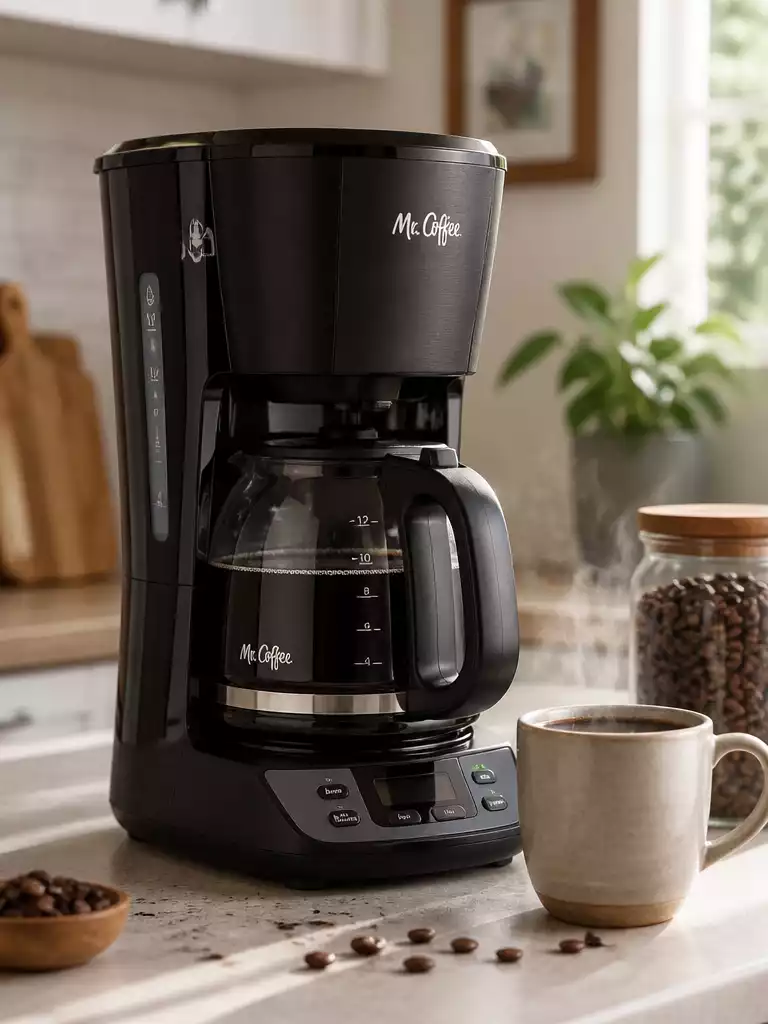
Proper maintenance can be the difference between a consistently brewed cup of coffee and a frustrating morning. As you dive into troubleshooting your Mr. Coffee maker, you’ll discover actionable insights to keep your machine running smoothly and your coffee flowing!
What You Will Learn
- Ensure your coffee maker is properly plugged in and check the power supply if it won’t turn on.
- Inspect the power cord for visible damage to avoid safety hazards.
- Regularly clean the brew basket and descale your machine to maintain optimal performance.
- Understand when to repair vs. replace your Mr. Coffee maker for cost-effective decision-making.
- Utilize user manuals and community resources for model-specific troubleshooting tips.
- Engage with coffee enthusiast communities for support and best practices.
Troubleshooting Your Mr. Coffee Maker: Common Issues and Solutions
When my Mr. Coffee maker doesn’t work, it can be really frustrating! I know the struggle of waking up in the morning, looking forward to that first cup of coffee, only to find that my beloved machine won’t turn on. In this section, I’ll share some common issues and solutions that can help you get your coffee maker back up and running.
Why Your Mr. Coffee Maker Won’t Turn On
If your Mr. Coffee maker won’t turn on, there are a few key things you should check first. It’s often something simple that can be fixed quickly.
Checking Power Supply and Outlet Connections
- Make sure the coffee maker is plugged into a working outlet.
- Try a different outlet if you’re unsure about the power source.
- Check that the power switch is turned on.
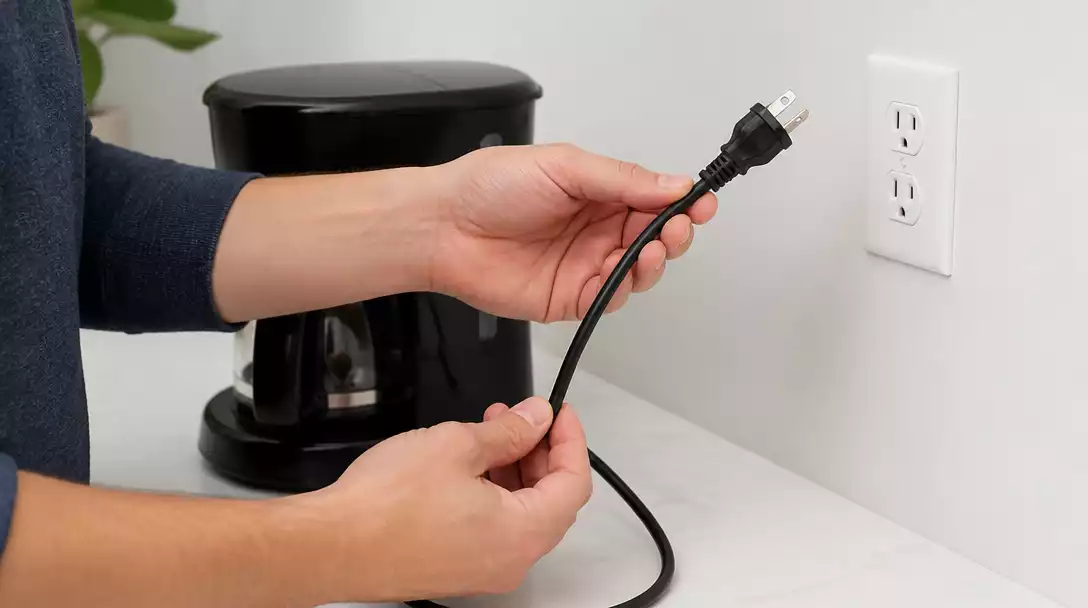
Sometimes, it’s just a matter of a loose connection, so ensure everything is securely plugged in. If it still doesn’t work, you may want to check the outlet by plugging in another appliance.
Inspecting the Power Cord for Damage
Next, take a look at the power cord. If there are any visible signs of damage, like fraying or cuts, it’s time for a replacement. A damaged cord can prevent your coffee maker from receiving power.
- Look for any exposed wires.
- Make sure the cord is not pinched or stretched.
Be cautious not to use a coffee maker with a damaged cord, as it can be a fire hazard. If your cord looks good, let’s move on to the next step.
Examining the Circuit Breaker and Reset Button
If your machine still won’t turn on, check your circuit breaker. Sometimes, resetting it can solve the problem. Look for the reset button on your Mr. Coffee maker as well; pressing that can also help. Just like you can reset a Ninja coffee maker, many Mr. Coffee models have a similar feature.
- Find the reset button, usually located on the back or bottom of the machine.
- Reset the machine and try turning it back on.
With these steps, your coffee maker should be operational again. If it’s not, don’t worry! We’ll talk about brewing issues next.
Resolving Brewing Issues: Why is My Mr. Coffee Not Brewing?
If your machine powers on but isn’t brewing, let’s troubleshoot this common issue. Here are the main causes and solutions to get your coffee flowing!
Ensuring Water is in the Reservoir
- Check the water reservoir to make sure it’s filled.
- Ensure that the reservoir is seated properly in the machine.
It sounds simple, but sometimes the water level can be overlooked! If your reservoir is empty, fill it up and try brewing again.
Verifying the Brew Button Activation
Next, ensure that you’ve pressed the brew button. Sometimes, it’s easy to forget this crucial step. If the light doesn’t come on, there may be an issue with the button itself.
- Press the brew button firmly.
- Check for any signs of blockage in the button mechanism.
A little push may be all you need to get your coffee brewing again!
Examining the Brew Basket and Carafe Placement
Finally, check that the brew basket and carafe are correctly placed. If either is not secured properly, your coffee maker may not function as it should.
- Make sure the brew basket is positioned correctly.
- Ensure that the carafe is seated properly on the warming plate.
With these checks complete, you should be back to enjoying that delicious cup of coffee in no time!
Addressing Water Flow Problems
If you’ve checked all the above and are still having issues, it’s time to look into water flow problems. Let’s dive into how you can fix these!
Clogged Needles and Valves: How to Clean Them
If your coffee maker is not brewing properly, it could be due to clogged needles or valves. These clogs can prevent water from flowing through the machine. For more general advice on resolving blockages, you can refer to tips on how to unclog a coffee maker.
- Check for any blockages in the needle that pierces the coffee pod.
- Use a small brush or a paper clip to clear any debris.
Cleansing these parts can significantly improve your coffee flow and taste!
Descaling Your Coffee Maker: When and How to Do It
Descaling is essential for maintaining your machine’s performance over time. If you notice slower brewing, it may be time to descale your Mr. Coffee maker.
- Use a descaling solution or a mix of vinegar and water.
- Run a brew cycle with the solution, then rinse with plain water.
This process removes calcium buildup that can hinder water flow, giving you better coffee every time!
Understanding Water Line Issues and Solutions
Lastly, sometimes there are underlying water line issues. If your machine is not getting enough water, check for any kinks in the line.
- Inspect all connections for leaks.
- Ensure that the water line is straight and unobstructed.
Proper water supply is key to enjoying flavorful coffee, so addressing this is vital!
Model-Specific Troubleshooting for Mr. Coffee Machines
Every Mr. Coffee maker might have unique quirks. Let’s explore how to tackle model-specific issues.
Identifying Common Model Issues and Solutions
Different models can sometimes present their own set of challenges. It’s helpful to research common issues related to your specific model.
- Check online forums for user experiences.
- Look up your model number for targeted troubleshooting tips.
By understanding your model better, you can find quicker solutions!
Utilizing Manufacturer Support Resources and User Manuals
Don’t forget to utilize the manufacturer’s support resources! Your user manual can be a treasure trove of information.
- Refer to the troubleshooting section of your manual.
- Visit the manufacturer’s website for additional support.
These resources can provide further insights and solutions tailored to your specific coffee maker.
Creating a Step-by-Step Diagnostic Flow
Establishing a systematic approach to troubleshooting can save time and hassle. Let’s create a step-by-step flow for diagnosing issues!
Starting with Power Checks
- Verify power supply and connections.
- Inspect the power cord for damage.
This should always be the first step, as it’s the easiest fix!
Moving to Reservoir and Filter Issues
- Check the water reservoir level.
- Ensure the brew basket is in place.
These are next in line and often the culprits when brewing fails.
Final Steps: Cleaning and Maintenance Considerations
- Clean needles and valves regularly.
- Descale the machine at least once a month.
Regular maintenance helps prevent issues before they arise.
When to Repair vs. Replace Your Mr. Coffee Maker
Sometimes, despite our best efforts, our machines need replacing. Knowing when to repair versus replace can save you money and frustration.
Evaluating Repair Costs vs. New Purchase
Consider the age of your coffee maker and the cost of necessary repairs. If it’s an expensive fix on an older machine, replacing it might be a smarter choice.
- Compare repair costs with the price of a new model.
- Factor in warranty coverage.
Making a cost-effective choice keeps your coffee brewing without breaking the bank!
Signs You Should Consider Replacement
If your coffee maker constantly needs repairs or isn’t functioning properly anymore, it might be time for a new one. Look for:
- Frequent brewing failures.
- Increased repair costs.
These signs indicate that replacement may be the better option for reliable coffee in the long run.
Understanding Warranty and Replacement Parts Options
Before purchasing a new coffee maker, check if your current one is still under warranty. Sometimes, replacement parts can solve issues without a full replacement!
- Review warranty details for coverage options.
- Look for replacement parts online or through the manufacturer.
With some research, you might find an affordable fix that keeps your coffee maker running smoothly!
Pro Tip
Did you know? Regularly descaling your Mr. Coffee maker not only improves brewing efficiency but also prolongs the life of your machine. Aim to descale every 1-3 months using a vinegar solution or a commercial descaler for the best results!
Frequently Asked Questions About Mr. Coffee Maker Troubleshooting
- My Mr. Coffee maker won’t turn on. What should I check first?
First, ensure it’s securely plugged into a working outlet and check the power switch. Inspect the power cord for any visible damage and look for a reset button, usually on the back or bottom of the machine. - Why is my Mr. Coffee maker not brewing even if it turns on?
Check if the water reservoir is filled and properly seated. Also, ensure you have firmly pressed the brew button and that the brew basket and carafe are correctly placed. - How often should I descale my Mr. Coffee maker?
It’s recommended to descale your Mr. Coffee maker every 1-3 months, depending on your water hardness and usage. This prevents mineral buildup and maintains brewing efficiency. - What causes water flow problems in a Mr. Coffee maker?
Water flow issues can stem from clogged needles or valves, mineral buildup requiring descaling, or kinks/obstructions in the water line. Regular cleaning and descaling can prevent most of these problems. - When should I consider replacing my Mr. Coffee maker instead of repairing it?
Consider replacement if repair costs are high, especially for an older machine, or if it frequently experiences brewing failures. Also, check if it’s still under warranty, as a replacement might be more cost-effective than continuous repairs.
Recap of Common Mr. Coffee Maker Issues and Solutions
As we wrap up our troubleshooting journey, it’s essential to have a quick reference to the most common Mr. Coffee Maker issues and their solutions. This guide aims to simplify your coffee-making experience, ensuring you can enjoy your morning brew without unnecessary hassles.
Quick Reference: Symptom-to-Solution Guide
- Won’t Turn On: Check power supply, inspect the power cord, and examine the circuit breaker.
- Not Brewing: Ensure water is in the reservoir, verify brew button activation, and check brew basket placement.
- Water Flow Problems: Clean clogged needles and valves, descale regularly, and check for water line issues. If you need a comprehensive guide on how to clean a Mr. Coffee maker, we have you covered.
- Model-Specific Problems: Consult user manuals and manufacturer support for tailored solutions.
This quick guide should help you identify and solve common issues at a glance. If problems persist, don’t hesitate to reach out for professional assistance!
Next Steps for Your Coffee Brewing Experience
Now that you’re familiar with troubleshooting your Mr. Coffee Maker, let’s talk about the next steps to enhance your brewing experience. Engaging with the community and maintaining your machine can lead to better coffee and longer-lasting performance!
Engaging with Mr. Coffee Community for Additional Support
Joining the Mr. Coffee community can be a game changer for any coffee enthusiast. Sharing tips, tricks, and experiences not only helps you learn more but also connects you to fellow coffee lovers!
- Online Forums: Participate in discussions about best practices and solutions.
- Social Media Groups: Follow pages dedicated to coffee makers for updates and support.
- Local Workshops: Look for community events that focus on coffee brewing techniques!
Engagement with others can provide fresh insights and enhance your coffee-making skills while allowing you to feel part of a community.
How Proper Maintenance Extends the Life of Your Coffee Maker
Just like any appliance, regular maintenance is key to ensuring your Mr. Coffee Maker operates smoothly for years to come. Proper care not only enhances performance but also extends its lifespan!
- Regular Cleaning: Clean the coffee pot, brew basket, and other components after each use.
- Descaling: Perform descaling every few months to prevent mineral buildup, similar to how you would clean a Keurig coffee maker.
- Proper Storage: Store your coffee maker in a dry place to avoid moisture and dust accumulation.
By following these maintenance tips, you can ensure that your coffee maker remains a reliable companion for your daily brew!
Performance Tips for Optimal Coffee Extraction and Brew Strength
To elevate your coffee experience, consider these performance tips that can lead to better extraction and brew strength. A few simple tweaks can make all the difference in your morning cup!
- Use Fresh Coffee: Always opt for freshly ground coffee to enhance flavor.
- Measure Water and Coffee Ratio: Stick to a consistent 1:15 ratio for optimal strength.
- Check Brew Temperature: Ideal brewing temperature should be between 195°F and 205°F.
Implementing these strategies can help you achieve a delightful cup of coffee every time. Enjoy experimenting to find the perfect brew that suits your taste!
Recap of Key Points
Here is a quick recap of the important points discussed in the article:
- Won’t Turn On: Check power supply, inspect the power cord, and examine the circuit breaker.
- Not Brewing: Ensure water is in the reservoir, verify brew button activation, and check brew basket placement.
- Water Flow Problems: Clean clogged needles and valves, descale regularly, and check for water line issues.
- Model-Specific Problems: Consult user manuals and manufacturer support for tailored solutions.