
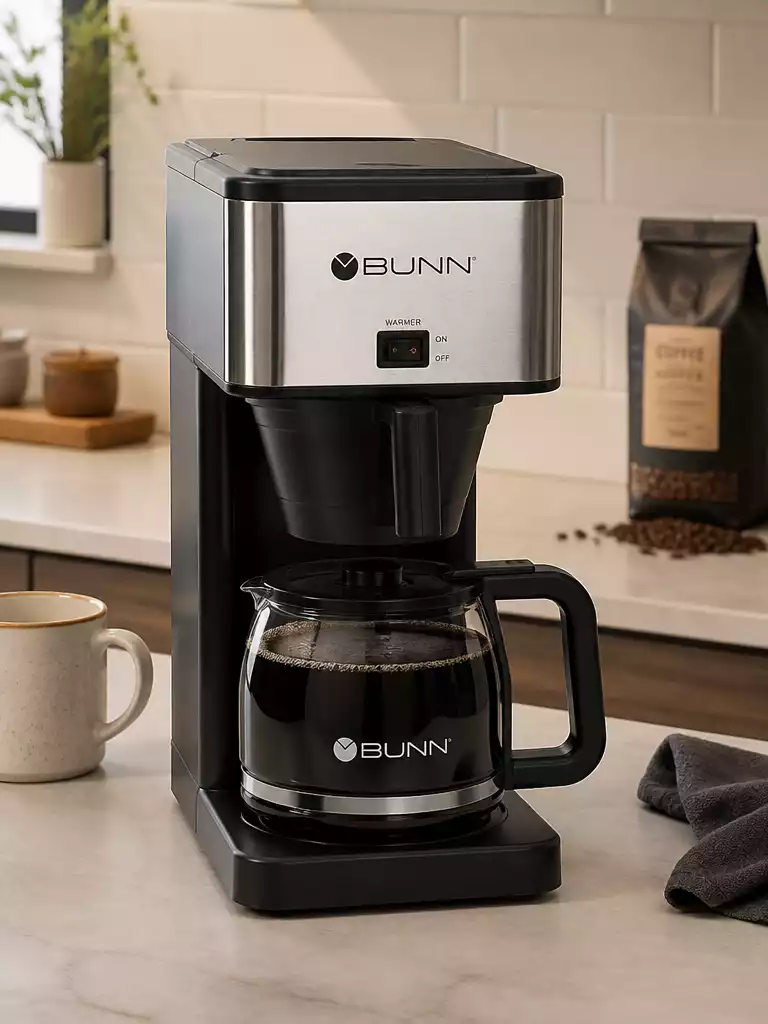
Have you ever found yourself staring at a coffee maker that just won’t brew? This common frustration can often be solved with a few quick checks and maintenance tips that will keep your favorite machine running smoothly.
What You Will Learn
- Recognize common symptoms of a malfunctioning Bunn coffee maker, such as no power or slow brewing.
- Understand the importance of regular maintenance to avoid clogging issues in the sprayhead and brew funnel.
- Perform preliminary checks, including verifying the power source, checking the water reservoir, and inspecting coffee filters.
- Learn essential troubleshooting steps to enhance your coffee maker’s performance, including descaling and using high-quality filters.
- Identify when to consider part replacements or seek professional repair for persistent issues.
Common Issues with Bunn Coffee Makers
When your Bunn coffee maker isn’t performing as expected, it can be frustrating! I’m here to help you identify some common issues that might be causing problems, so you can get back to enjoying your favorite brew. Let’s dive into the symptoms of a Bunn coffee maker that just isn’t brewing right.
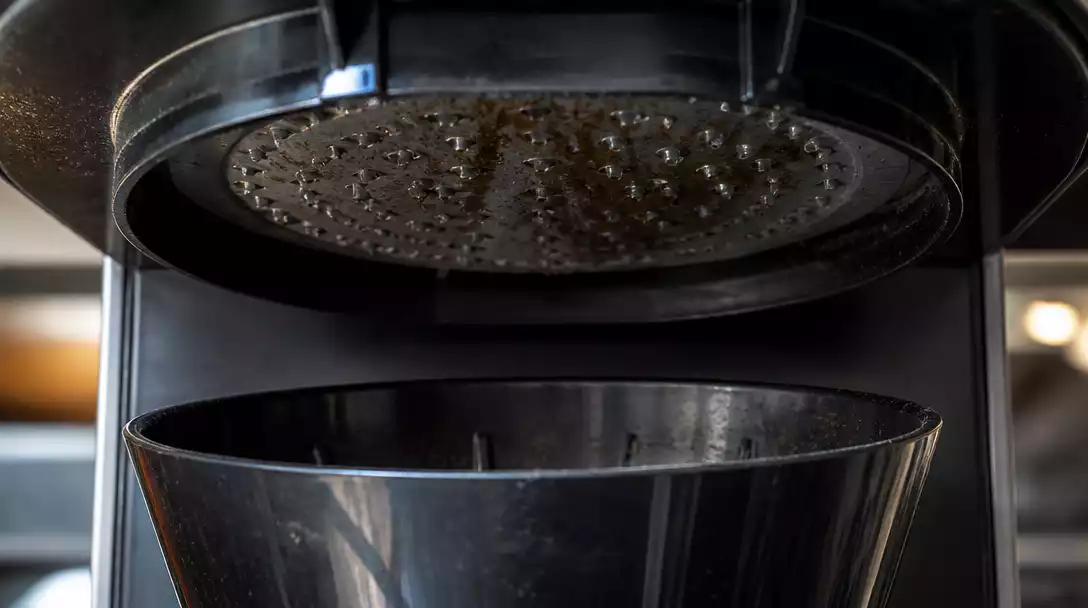
Identifying Symptoms: Why Your Bunn Coffee Maker is Not Brewing
If your Bunn coffee maker isn’t brewing, there are a few red flags to look out for. Recognizing these symptoms can make troubleshooting easier. Common symptoms include a lack of power or a slower-than-normal brewing process.
No Power or Slow Brewing
- No Power: Ensure your machine is plugged in and the outlet is functioning.
- Slow Brewing: This can be a sign of mineral buildup or a clogged filter.
- Temperature Issues: Water not reaching the right temperature can affect brewing times.
Addressing these issues can often be as simple as checking your power source or cleaning components. If you notice any of these symptoms, it’s best to act quickly to prevent further issues!
Understanding Clogging Issues: Sprayhead and Brew Funnel
Clogging is another common issue that can affect your Bunn coffee maker’s performance. If you notice weak coffee or longer brew times, the sprayhead or brew funnel might be clogged. Regular maintenance is key to preventing these blockages.
- Sprayhead Clogs: Mineral deposits can accumulate over time.
- Brew Funnel Blockages: Old coffee grounds can lead to backups.
- Inspect Regularly: Check these parts to ensure they are clear of debris.
Being proactive about these concerns can help keep your coffee maker running smoothly and your coffee tasting great!
Preliminary Checks Before Troubleshooting
Before diving into troubleshooting, I always recommend doing some preliminary checks. Sometimes, the solution is simpler than expected! Let’s look at some key areas to verify.
Power Source Verification: Ensuring Your Coffee Maker is Plugged In
The first and easiest thing to check is whether your coffee maker is plugged in. It’s surprising how often this is the root cause of malfunctioning appliances!
- Check the power cord for any visible damage.
- Make sure the outlet is functional by plugging in another device.
- If using a power strip, ensure it’s turned on and functioning.
Taking these small steps can save you a lot of time and frustration!
Water Reservoir Checks: Is There Enough Water to Brew?
Another common oversight is the water reservoir. Is it adequately filled? Sometimes, we forget to refill it after our last brew!
- Check the reservoir level before starting a brew.
- Ensure there’s water in the tank, as some models won’t brew without sufficient water.
- Look for any signs of leaks that might indicate a bigger issue.
Keeping your coffee maker’s water reservoir topped off is essential for a good cup of coffee!
Evaluating Coffee Filter Conditions: Clogged Filters and Their Impact
Lastly, don’t forget to look at your coffee filters! Clogged filters can significantly impact the brewing process and flavor of your coffee.
- Replace old filters regularly to avoid blockages.
- Use high-quality filters to ensure optimal brewing.
- Clean the filter basket to prevent any buildup.
By regularly checking these components, you can help ensure your Bunn coffee maker remains in top shape.
Pro Tip
To prevent future clogging issues, consider using filtered water in your Bunn coffee maker. This can help reduce mineral buildup, ensuring a smoother brewing process and extending the lifespan of your machine.
Frequently Asked Questions About Bunn Coffee Maker Issues
Here are some common questions about troubleshooting Bunn coffee makers:
- Why is my Bunn coffee maker not brewing?
This can be due to several reasons, including no power, insufficient water in the reservoir, mineral buildup causing clogs in the sprayhead or brew funnel, or a clogged coffee filter. - How do I fix slow brewing in my Bunn coffee maker?
Slow brewing often indicates mineral buildup. Descaling your machine regularly can resolve this. Also, check for clogged sprayheads or brew funnels and ensure your coffee filter isn’t blocked. - What should I do if my Bunn coffee maker has no power?
First, check if the coffee maker is properly plugged into a functioning outlet. Inspect the power cord for any damage. If using a power strip, ensure it is turned on. - How often should I clean the sprayhead and brew funnel?
Regular cleaning is recommended to prevent clogs. Inspect these parts frequently and clean them as soon as you notice any debris or mineral accumulation, ideally every few months or more often with heavy use. - When should I consider professional repair for my Bunn coffee maker?
If you have followed all troubleshooting steps—such as checking power, water levels, filters, and performing descaling—and the issue persists, it might be time to consider professional repair or part replacement. Consult your manual or Bunn customer service for guidance.
Conclusion: Keeping Your Bunn Coffee Maker in Top Shape
As we wrap up our troubleshooting journey, it’s essential to remember the key steps we’ve discussed. Regular maintenance and prompt attention to brewing issues can significantly enhance your Bunn coffee maker’s performance. Here’s a quick recap of the key troubleshooting steps and maintenance tips:
- Check your power source and ensure the coffee maker is plugged in.
- Verify the water reservoir is filled appropriately before brewing.
- Regularly clean the sprayhead and brew funnel to prevent clogs.
- Descale your machine every few months to remove mineral buildup.
- Use OEM filters for optimal brewing results.
These simple steps can help you avoid common issues and maintain your coffee maker’s efficiency for delicious brews every time!
Taking Next Steps for Persistent Issues
If you’ve followed these troubleshooting steps and your coffee maker is still acting up, it may be time to evaluate your options. Here’s what to consider when dealing with persistent issues:
- Assess whether replacing parts is a viable solution.
- Consider reaching out for professional repair services if problems persist.
- Consult your Bunn coffee maker’s manual for specific troubleshooting advice.
Knowing when to replace parts versus seeking professional help can save you time and money in the long run. If you’re unsure, feel free to contact me at my business for tailored advice based on your specific model!
Resources for Further Assistance: Manuals and Support Links
For additional support, I highly recommend checking out the resources available online, including:
- Bunn’s official website for user manuals and troubleshooting guides.
- Community forums where fellow Bunn users share their experiences.
- Video tutorials that can provide visual assistance on repairs and maintenance.
Utilizing these resources can equip you with the knowledge needed to keep your coffee maker running smoothly.
Bunn Customer Service: How to Get Help and Support
Finally, if all else fails, don’t hesitate to reach out to Bunn’s customer service team. They are always ready to assist you with:
- Technical support for any brewing issues.
- Guidance on warranty and replacement parts.
- General questions about your coffee maker model.
Remember, keeping your Bunn coffee maker in top shape is crucial for your daily coffee enjoyment. With these tips and resources, you’ll be well-equipped to tackle any brewing challenges that come your way!
Recap of Key Points
Here is a quick recap of the important points discussed in the article:
- Check your power source and ensure the coffee maker is plugged in.
- Verify the water reservoir is filled appropriately before brewing.
- Regularly clean the sprayhead and brew funnel to prevent clogs.
- Descale your machine every few months to remove mineral buildup.
- Use OEM filters for optimal brewing results.
Pingback: how to use a ninja coffee maker
Pingback: How to Use a Mr. Coffee Maker: Complete Guide
Pingback: how to drain a bunn coffee maker