Draining your coffee maker might seem like a mundane task, but it holds the key to prolonging its lifespan and enhancing your brewing experience. Consider this: a well-maintained coffee maker can improve the flavor and quality of your favorite brews. Let’s dive into the essential steps you need to know!
What You Will Learn
- The importance of draining your Bunn coffee maker for both performance and longevity.
- Essential safety precautions to take before starting the draining process.
- Step-by-step instructions for effectively draining water from your coffee maker.
- How to customize your draining approach based on your specific Bunn model.
- Common mistakes to avoid during the draining process to prevent potential issues.
- Tips for maintaining your coffee maker to ensure optimal brewing results.
Essential Steps for Draining Your Bunn Coffee Maker
The Importance of Properly Draining Your Coffee Maker
Draining your Bunn coffee maker is crucial for several reasons. First, it prepares your machine for transportation or long-term storage, preventing any water damage during movement. Additionally, if you’re planning to store the coffee maker in a place where it could freeze, draining helps avoid potential cracking or rupturing of internal components.
Moreover, regularly draining your coffee maker maintains its performance. This simple step can help reduce mineral buildup and ensure that your machine brews the best coffee possible. Following this practice not only extends the life of your Bunn coffee maker but also enhances your overall brewing experience!
Safety First: Preparing to Drain Your Bunn Coffee Maker
Before you start the draining process, it’s essential to prioritize safety. Always unplug the brewer to avoid any electrical hazards. Allow the machine to cool down completely, as it can get quite hot during use. This precaution will ensure you handle your coffee maker without the risk of burns.
- Unplug the coffee maker.
- Let it cool for at least 30 minutes.
- Prepare a sink or container to catch the water.
Taking these simple steps can make a big difference in ensuring a safe draining experience. Remember, safety is key when handling electrical appliances!
Step-by-Step Guide on How to Drain a Bunn Coffee Maker
Initial Preparations Before Draining
To start, you’ll want to remove the brew funnel and the sprayhead from your Bunn coffee maker. This step is essential, as it allows you to access the internal components that need to be drained.
- Take out the brew funnel carefully.
- Unscrew and remove the sprayhead.
- Ensure that all water has been emptied from these parts.
Ensuring these components are removed sets the stage for effective draining. It also helps you check for any blockages or buildup that could affect your coffee’s flavor!
Draining the Water: The Official Procedure
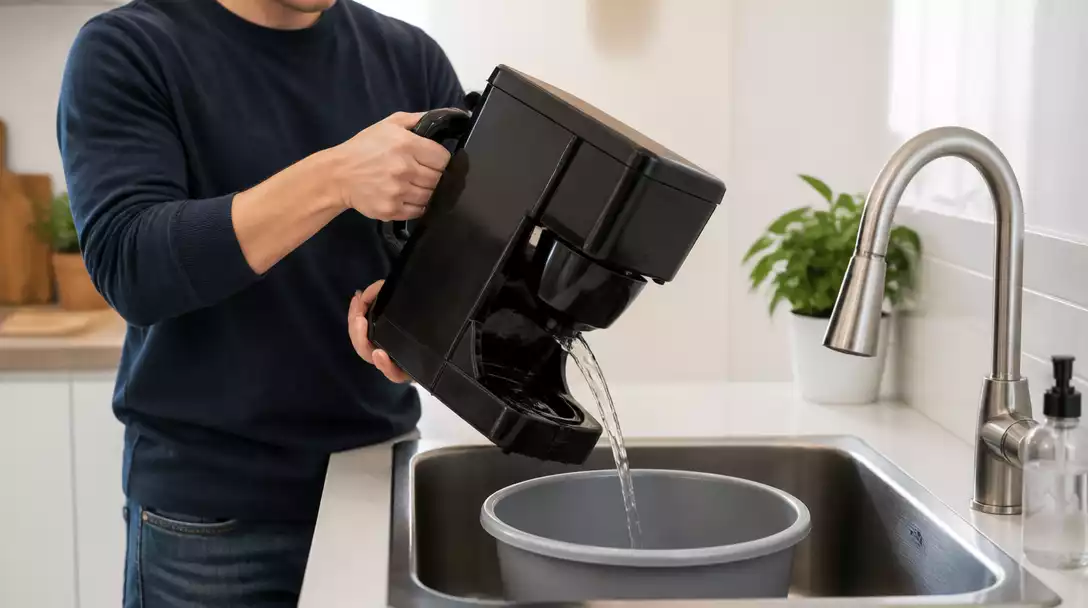
Now, let’s dive into the official procedure for draining your coffee maker. Begin by tilting the machine over a sink to let the water flow out thoroughly. Make sure to position a bucket or pan underneath to catch the excess water.
- Tilt the coffee maker and allow water to pour out.
- Gently shake it to encourage remaining water to exit.
- Check the reservoir to ensure it’s completely empty.
This method guarantees that you remove all water from your Bunn coffee maker, helping to prevent any unwanted surprises when you’re ready to brew your next cup!
Model-Specific Instructions: Customizing Your Approach
Different Bunn models may have slightly different draining requirements. For instance, the Speed Brew model features a unique design that might require additional steps. Always refer to your model’s manual for specifics.
- Check for any model-specific features that may alter the draining process.
- Use compatible tools designed for your Bunn model.
- Follow the manufacturer’s guidelines closely for best results.
By customizing your approach based on your specific coffee maker model, you’ll ensure a more effective and safe draining process!
Avoiding Common Mistakes During the Draining Process
It’s easy to overlook a few details during the draining process. However, avoiding common mistakes can save you time and hassle later on. For example, skipping the cooling step can lead to burns, while failing to empty the reservoir can cause lingering moisture issues.
- Always let the machine cool down.
- Double-check that water is completely drained from all components.
- Don’t rush the process; take your time!
By keeping these points in mind, you can prevent complications and ensure a smooth draining experience.
Understanding Your Water Reservoir and Its Role in Draining
The water reservoir is a vital part of your Bunn coffee maker that holds the water used for brewing. When draining, it’s essential to ensure that this component is thoroughly emptied.
- Look for any hidden compartments that may retain water.
- Give it a gentle shake or tilt to ensure all water is expelled.
- Inspect for any signs of buildup that might impact performance.
A properly drained reservoir not only helps in maintaining the machine but also contributes to better-tasting coffee. After all, no one wants stale water affecting their brew!
Pro Tip
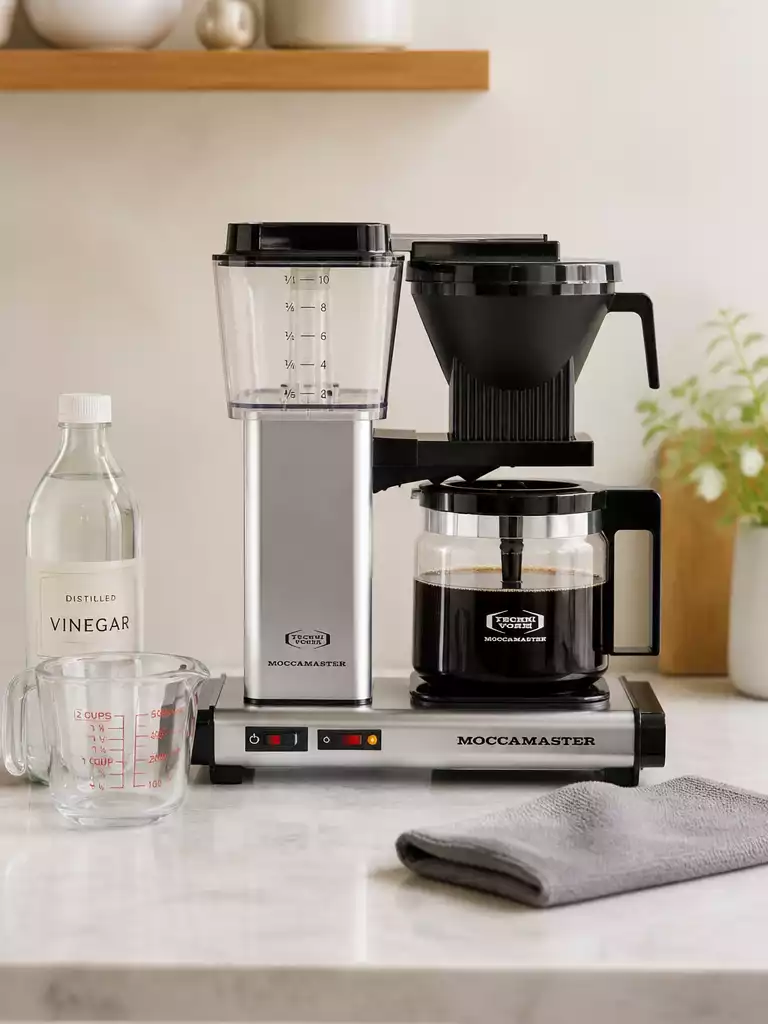
Did you know? Regularly descaling your Bunn coffee maker not only improves its performance but also enhances the flavor of your coffee. Use a mixture of equal parts vinegar and water to descale your machine every few months for the best results!
Frequently Asked Questions About Draining Your Bunn Coffee Maker
Here are some common questions about draining Bunn coffee makers:
- Why is it important to drain my Bunn coffee maker?
Draining your Bunn coffee maker is crucial for preparing it for transportation or long-term storage, preventing potential damage from freezing, and reducing mineral buildup to maintain optimal performance and taste. - What safety precautions should I take before draining?
Always unplug the coffee maker and allow it to cool down completely (at least 30 minutes) to avoid electrical hazards and burns. Prepare a sink or container to catch the water. - How do I start the draining process?
Begin by removing the brew funnel and sprayhead to access the internal components that need to be drained. Ensure these parts are empty of water. - What is the official procedure for draining the water?
Tilt the coffee maker over a sink or container to allow all water to flow out. Gently shake the machine to ensure any remaining water is expelled, and verify the reservoir is completely empty. - Are there model-specific draining instructions?
Yes, different Bunn models, like the Speed Brew, may have unique draining requirements. Always consult your model’s manual and follow the manufacturer’s guidelines for the best results. - What are common mistakes to avoid during draining?
Avoid skipping the cooling step, failing to completely drain all components (especially the reservoir), and rushing the process. These can lead to burns, lingering moisture issues, and complications. - How does the water reservoir play a role in draining?
The water reservoir must be thoroughly emptied. Check for hidden compartments and gently shake or tilt the machine to ensure all water is expelled. A properly drained reservoir helps maintain the machine and contributes to better coffee flavor.
Recap: Key Takeaways for Draining Your Bunn Coffee Maker
Draining your Bunn coffee maker is crucial for its longevity and performance. Remember, proper draining procedures help prevent issues like water buildup and potential freezing damage. Always prepare your coffee maker by unplugging it and letting it cool down before starting the draining process!
In summary, here are the key points to take away:
- Ensure the coffee maker is unplugged and cooled down.
- Remove the brew funnel and sprayhead before draining.
- Follow the specific draining steps to empty the water completely.
- Pay attention to model-specific instructions for different Bunn models.
These steps will help you maintain your coffee maker effectively!
Your Next Steps: Maintaining Your Bunn Coffee Maker
Now that you’ve drained your Bunn coffee maker, it’s time to focus on its maintenance! Regular upkeep is vital for optimal performance. Start by reassembling the machine correctly, refilling, and re-priming it for your next brewing session.
Don’t forget to take a moment to check out the BUNN official manuals for your specific model. They offer a wealth of information on caring for your coffee maker, ensuring you’re always brewing your best cup! If you notice your Bunn coffee maker not working as expected, troubleshooting tips are often found in these manuals or in dedicated repair guides.
Maximizing Your Coffee Experience Through Proper Equipment Care
Taking care of your coffee maker goes beyond just draining. It’s equally important to handle coffee grounds properly and consider methods like pour-over for a richer flavor. Using reusable filters can also enhance the strength and quality of your coffee, offering a more satisfying brew.
Here’s how you can maximize your coffee experience:
- Store coffee grounds in a cool, dry place to maintain freshness.
- Experiment with different coffee-to-water ratios for optimal flavor.
- Regularly clean your coffee maker, including descaling every few months. For a comprehensive guide on keeping your appliance spotless, learn how to clean a Bunn coffee maker thoroughly.
Remember, a little care can go a long way in enjoying your coffee! For routine cleaning and to avoid mineral buildup, you might also be interested in learning how to clean a coffee maker with vinegar, a common and effective method.
Recap of Key Points
Here is a quick recap of the important points discussed in the article:
- Always unplug the coffee maker and allow it to cool down before draining.
- Remove the brew funnel and sprayhead to access internal components.
- Tilt the machine over a sink to drain all water completely.
- Follow model-specific instructions for different Bunn coffee maker models.
- Double-check that all water is drained to prevent buildup and ensure optimal performance.